Case study | Side project | In active development
Sivun
Working todayRecording of meetings, Pairing with a code on the recorder, recordings that come home over your own Wi-Fi by themselves, one-click firmware updates, and speech models picked to fit your computer.
A meeting recorder that everyone in the room can read, plus the app it feeds. You slide the cover open to record and close it to stop. The recordings go to your own computer, where they're transcribed, split by speaker and made searchable, and nothing leaves the machine.
- Role
- Everything: design, electronics, firmware and app design
- Timeline
- August 2026 to now
- Scope
- Hardware | Firmware | Interaction design | Mac & Windows app
- Status
- Works end to end. Recorder V2 and app V2 still being refined
The latest prototype, already in use for testing: one full cycle from power on, through a recording while the cover is open, to power off. The cover is the record button.
The desktop app that comes with it, for Mac and Windows: read back a meeting’s brief and transcript, ask it a follow-up question, and jump to the moment in the transcript where the answer was said.
01The promise
More and more devices record quietly in the background. I wanted Sivun to do the opposite and leave the choice with the people in the room. There is no record button: you slide the cover open to record and close it to stop, so anyone at the table can tell at a glance whether it’s listening.
The second half of the promise is where the audio goes. The recorder never talks to a server. It hands its files to your own computer, and the app transcribes and cleans them up there, with models running on your machine.
If it’s listening, everyone at the table should be able to see it.
02Setup
On the first launch you are prompted with a six-step setup, and it starts with the recorder: pairing comes before anything else. Then the app reads the computer’s processor, memory, free space and graphics, and suggests the speech and cleanup models that will run well on it. If the cleanup model needs Ollama, Sivun installs and runs it itself.
Next is a short voice sample, so your own lines show up as “Me” in transcripts. You read five lines, and the script moves on as it hears you. Since people sound different in each language, so you can add a sample per language, so that you’re “Me” in all of them.
Pairing happens over the recorder’s own Wi-Fi. The app asks to pair after which the window shows a blue lock and an animation which implies what to do next, and when you slide the cover open a six-digit code fills the screen with a line counting down two minutes. Type it in correctly and both sides turn green however, a wrong code makes the field shake red, and after five wrong tries the recorder shows a new one.
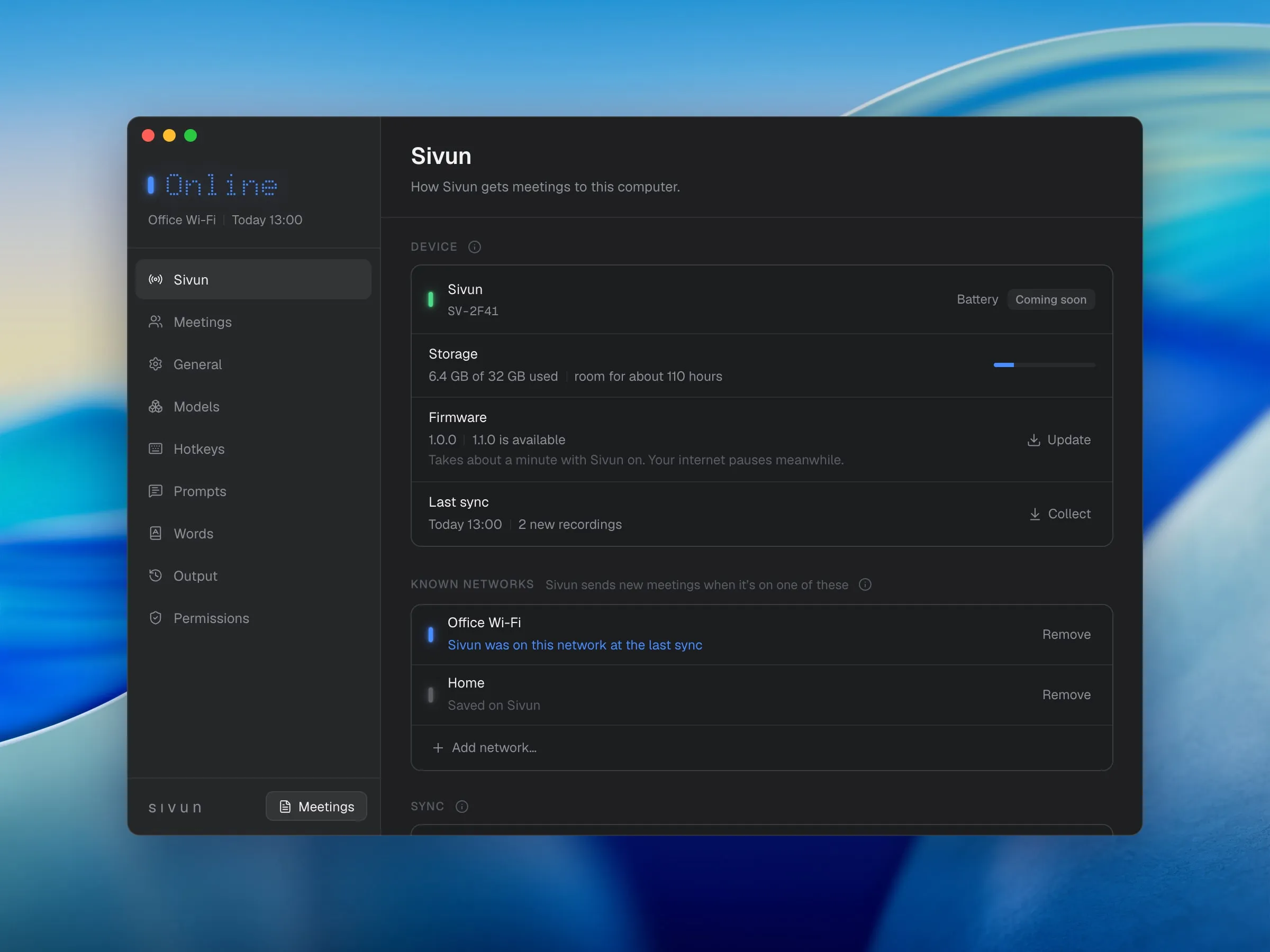
Once paired, you can teach the recorder up to five networks from the app, so it can sync new meetings from home or the office without the computer leaving its own Wi-Fi.
Pairing
Setup reads the processor, memory, free space and graphics, then says which models will run well on this computer. It doesn’t change or send anything.
03Recording
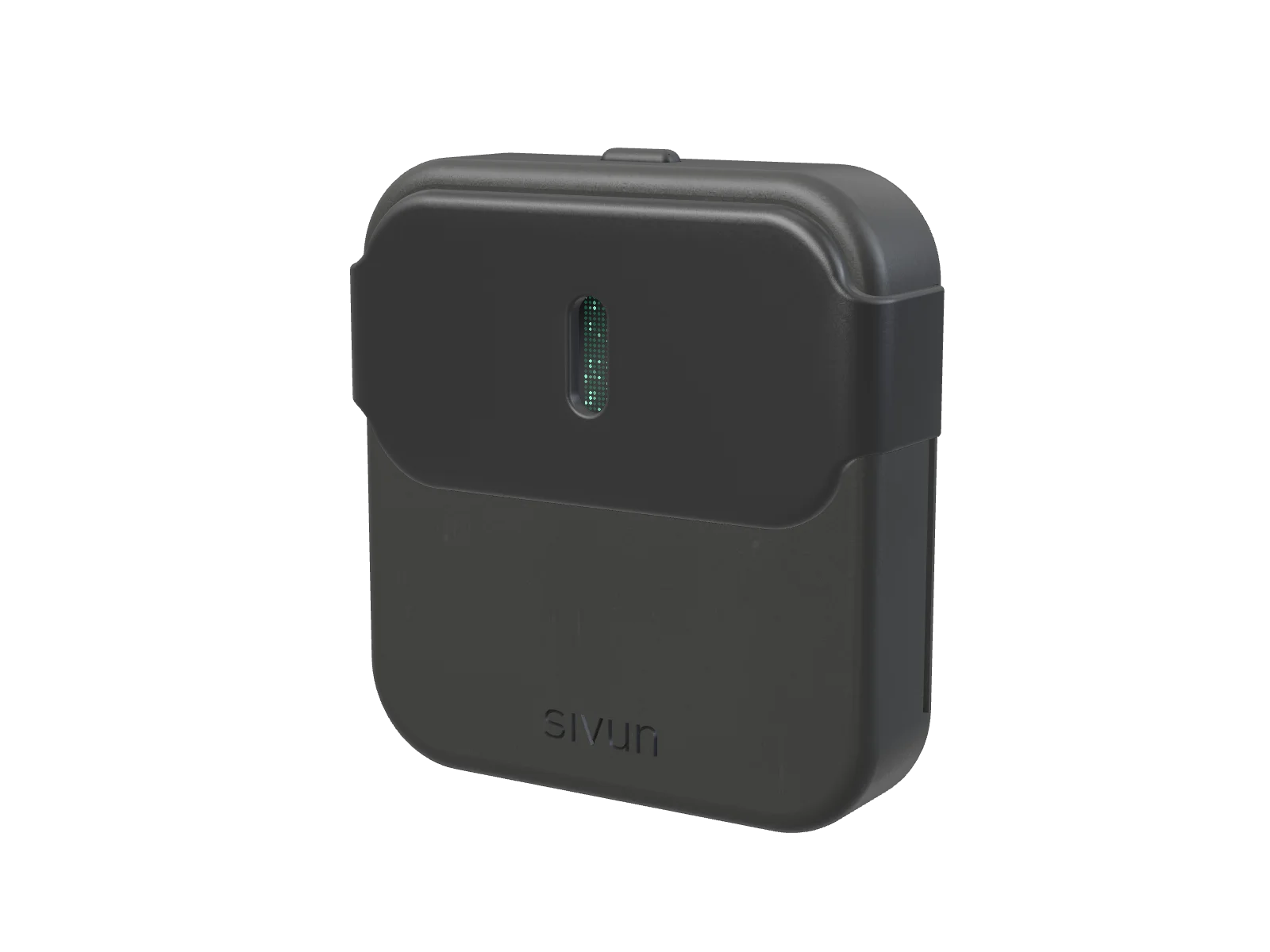
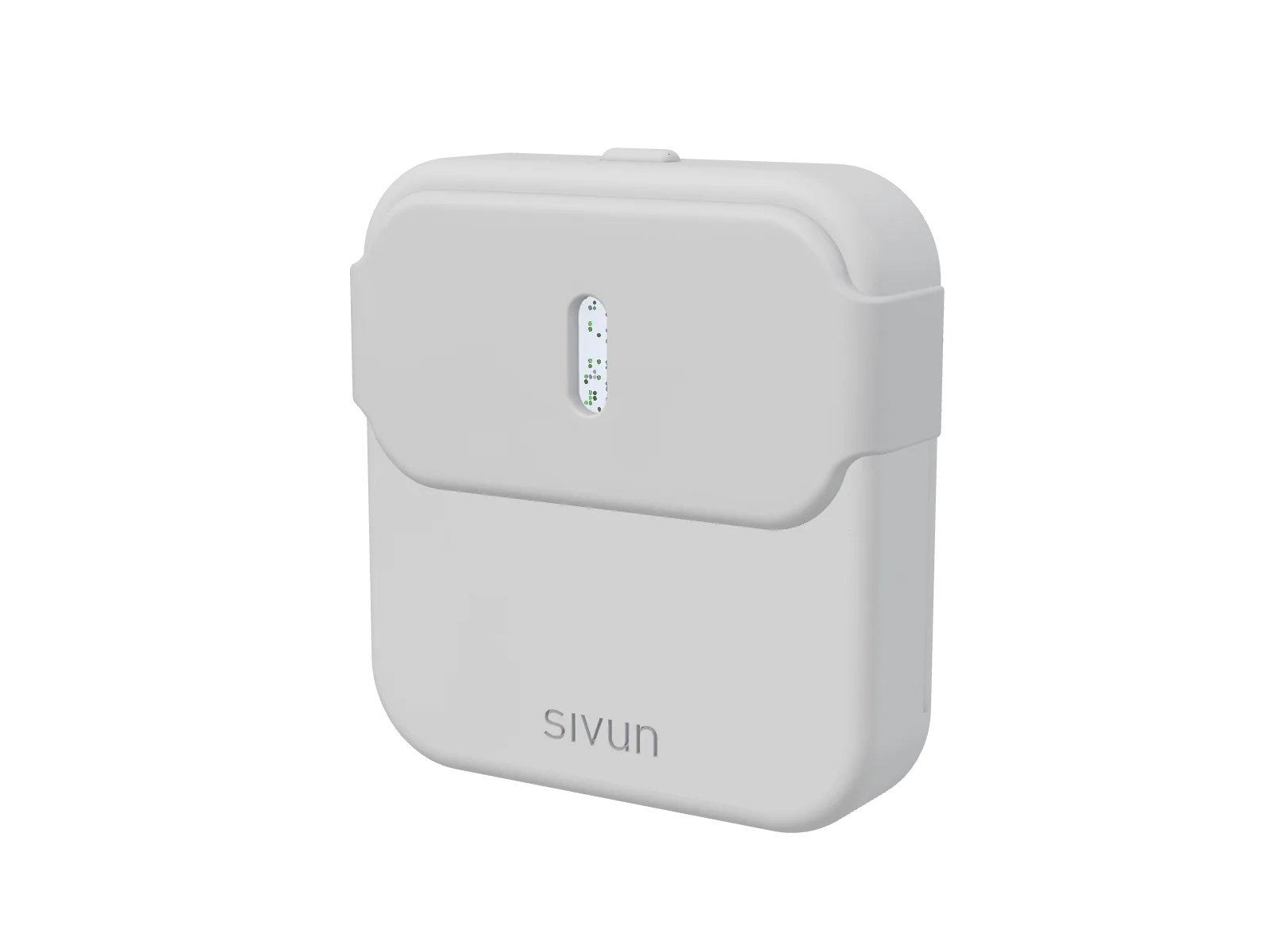
Drag to turn it
Finishes. Graphite and Silver. Each one matches one of the app’s two themes.
The cover. There’s no record button. You slide the cover open to record and close it to stop, so everyone at the table can see when it’s listening.
The light. While it records, an orange light breathes through the ring around the window. The timer stays at full brightness for 15 seconds after each minute mark, then fades down, so you can check it’s still recording without it glaring all meeting.
The window. With the cover closed, a grid of 9 × 23 dots shows what the recorder is about to do. A shape only changes while it moves, so it reads as one object.
Pairing. When the app asks to pair, a blue lock appears. Slide the cover open for a six-digit code and type it into the app. A wrong code shakes red, the right one turns both sides green.
Sync. On a known network the window glows blue along its sides. New recordings come over to your computer by themselves, counted as they go.
Updates. The firmware ships inside the app and installs in one click. A new version runs on trial and goes back to the old one by itself if it fails.
Power. Hold the button on top for a second to turn it on or off.
Pick a feature to see it on the recorder, or drag to move Sivun around.
Ready, then recording. The timer fills the screen once the cover is open.
With the cover closed, a small window shows a 9 by 23 grid of dots. The goal is that it tells you what the recorder is about to do. In the ready state, a microphone sits still, then moves off and turns into a down arrow on the way, drops out of the bottom and comes back in from the top as a microphone again.
Slide the cover open and the whole screen shows a recording timer, with an orange light breathing beside it. Closing the cover stops and saves the recording automatically.
The timer is there on purpose. If you record your meetings you want to see at a glance that the recording hasn’t been interrupted. The timer is the reassurance that you're still recording and havent lost anything critical yet.
04Sync
The recorder has to get its audio onto the computer without going through the cloud. Bluetooth is far too slow for audio, and making the recorder join every network you visit is hostile to anyone who moves around. The answer has two parts. The recorder always runs its own small Wi-Fi network, and the app can hop onto it, pull new recordings and hop back. On a known network it announces itself instead, and the app checks every 30 seconds and only syncs when something new was recorded. While it’s on one, the window glows softly blue along its sides.
Syncing should never get in the way of a recording. After a recording is saved, the recorder waits 30 seconds before joining a network, so a sync doesn’t start in the hands of someone about to record. If you open the cover in the middle of a download anyway, the download stops and the recording starts at once, and the cut-off file simply comes with the next sync.
Progress shows at both ends: the recorder counts the files across, and in the app a card shows the meetings coming in. You can collect everything, or have the app ask first. Then the card lists what’s new, and you pick what this computer takes. A name you give a recording reaches every paired computer, and collected meetings are transcribed in the background.
Firmware updates use the same link. The firmware ships inside the app, and one click in Settings › Recorder sends it over. The recorder keeps the old version while it installs the new one: if that version crashes or doesn’t check in within three minutes, the recorder goes back to the old one by itself, and never in the middle of a recording.
On the recorder
Rendered: the recorder hands its new meetings to the computer. A laptop and a count in the window, then a check once they’re all across.
With Ask me first, a card in the corner lists what’s new on Sivun. Name a recording, tick it, and only that one comes to this computer. The rest stay on the recorder.
05Meetings
Every collected recording becomes a meeting with a brief and a transcript split by speaker. The brief opens with a summary, then action items and key points, and it catches the to-dos people only mention in passing, like “we have to get the flights this weekend”. A header shows how confident the transcription was. When a tool runs on AI, it should be honest about where it might be wrong, so you know what to trust and what to go back and check yourself.
Every open action item also lands in To do, a second tab in the sidebar next to Meetings, with the open count on it. The items are grouped under the meeting they came from, and instead of a checkbox each one has a small light. Click an item and its meeting opens with that line picked out, and search covers both tabs.
Under each meeting is an Ask box. You can ask what was decided or who promised what, and the local model answers with citations pointing to the lines of the transcript it drew on. To get you started, the box suggests a few questions per meeting, drawn from its key points.
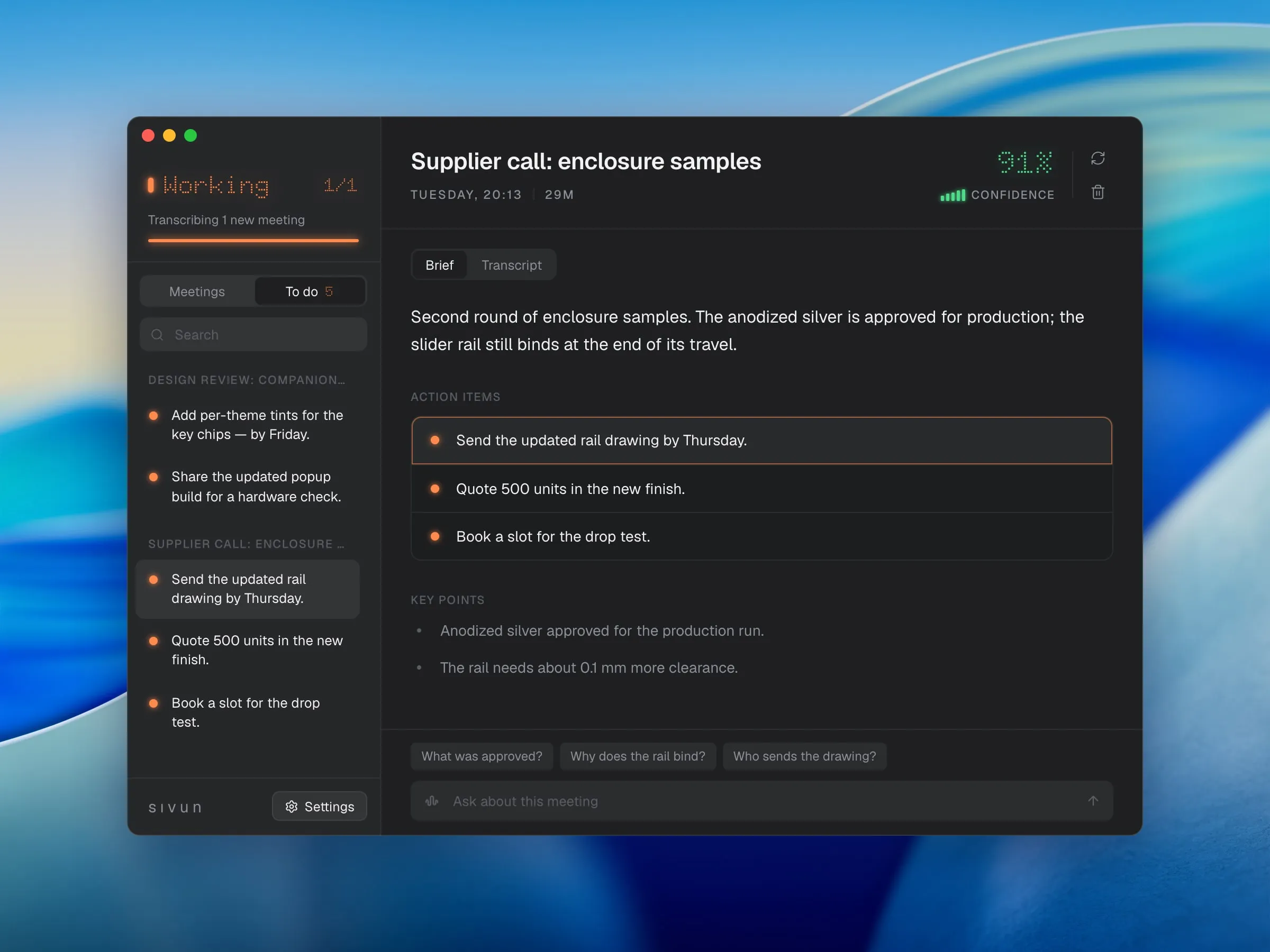
Type a question about the meeting. A local model answers and links to the lines it used, which open in the transcript.
Specs
What’s inside
Recorder
- Board
- ESP32-C6, Wi-Fi 6
- Audio
- Two microphones, 16 kHz 16-bit stereo WAV
- Screen
- 1.47″ LCD
- Control
- Sliding cover read by an infrared sensor, opens in about a tenth of a second
- Storage
- Integrated microSD slot
- Finishes
- Graphite, Silver
Connection
- Pairing
- Six-digit code on the recorder’s screen
- Networks
- Its own Wi-Fi network, plus up to five known ones
- Transfer
- About 13 seconds per recorded minute
- Firmware
- Ships in the app, one-click update, rolls back by itself if a new version fails
App
- Platforms
- Mac and Windows
- Built with
- Tauri, a Rust core and a React interface
- Speech
- Local models, picked to fit your computer
- Briefs and Ask
- A local language model, run through Ollama
- Cloud
- None. Nothing leaves the machine
06Recorder
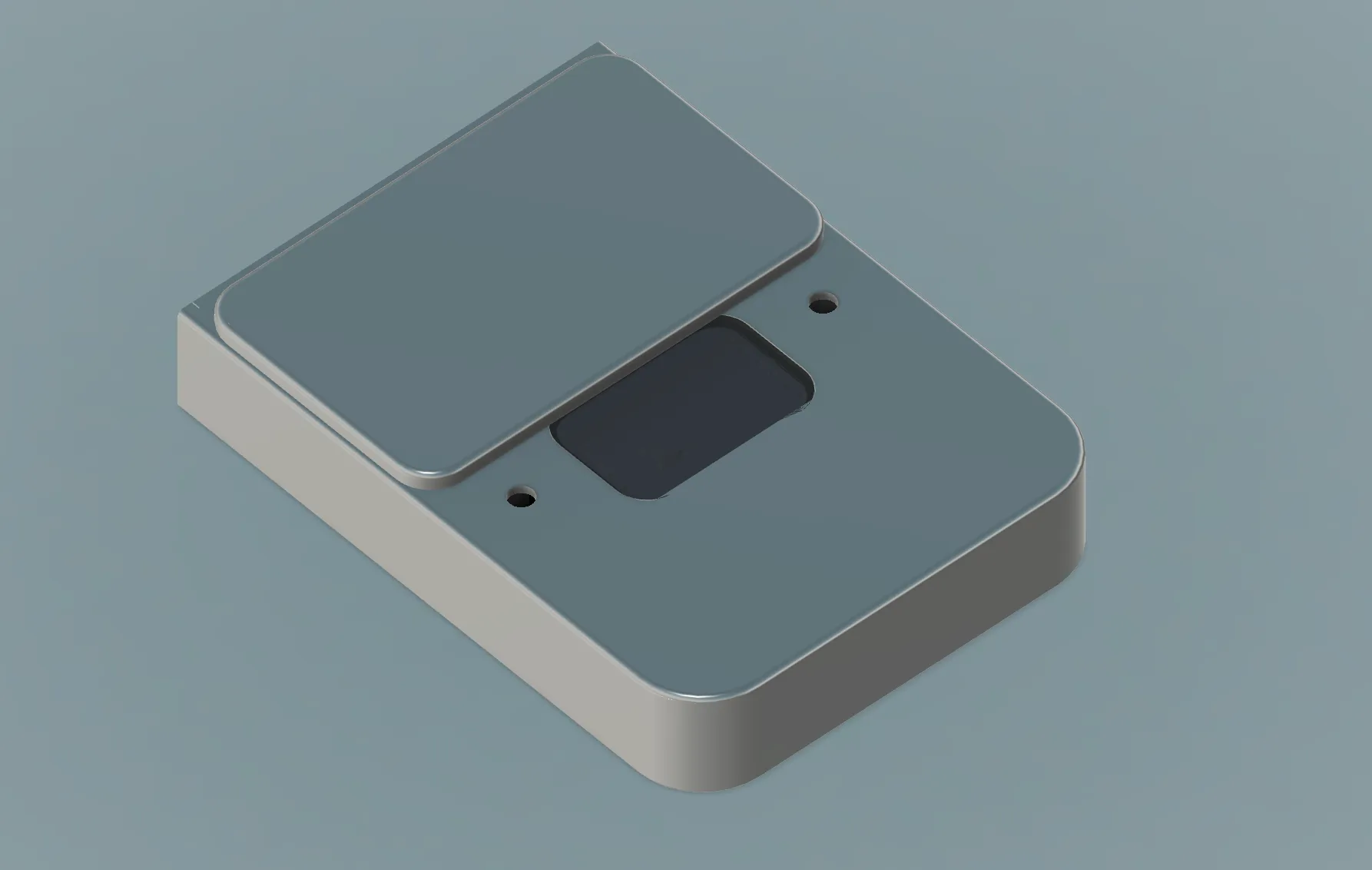
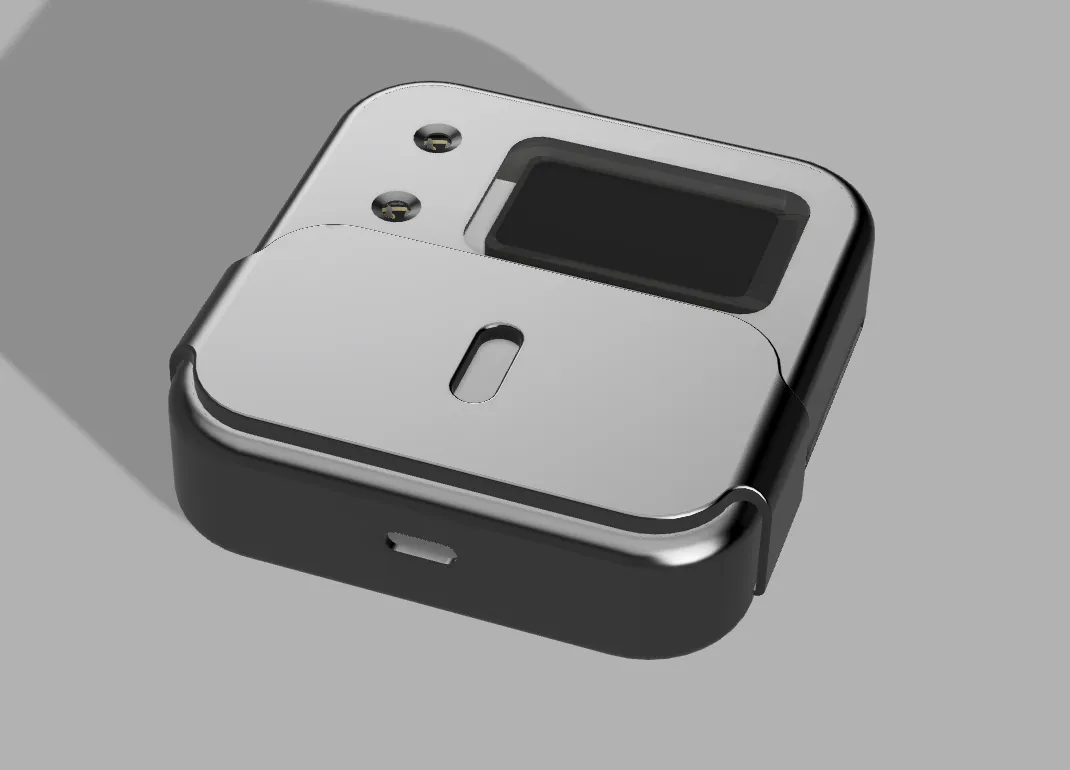
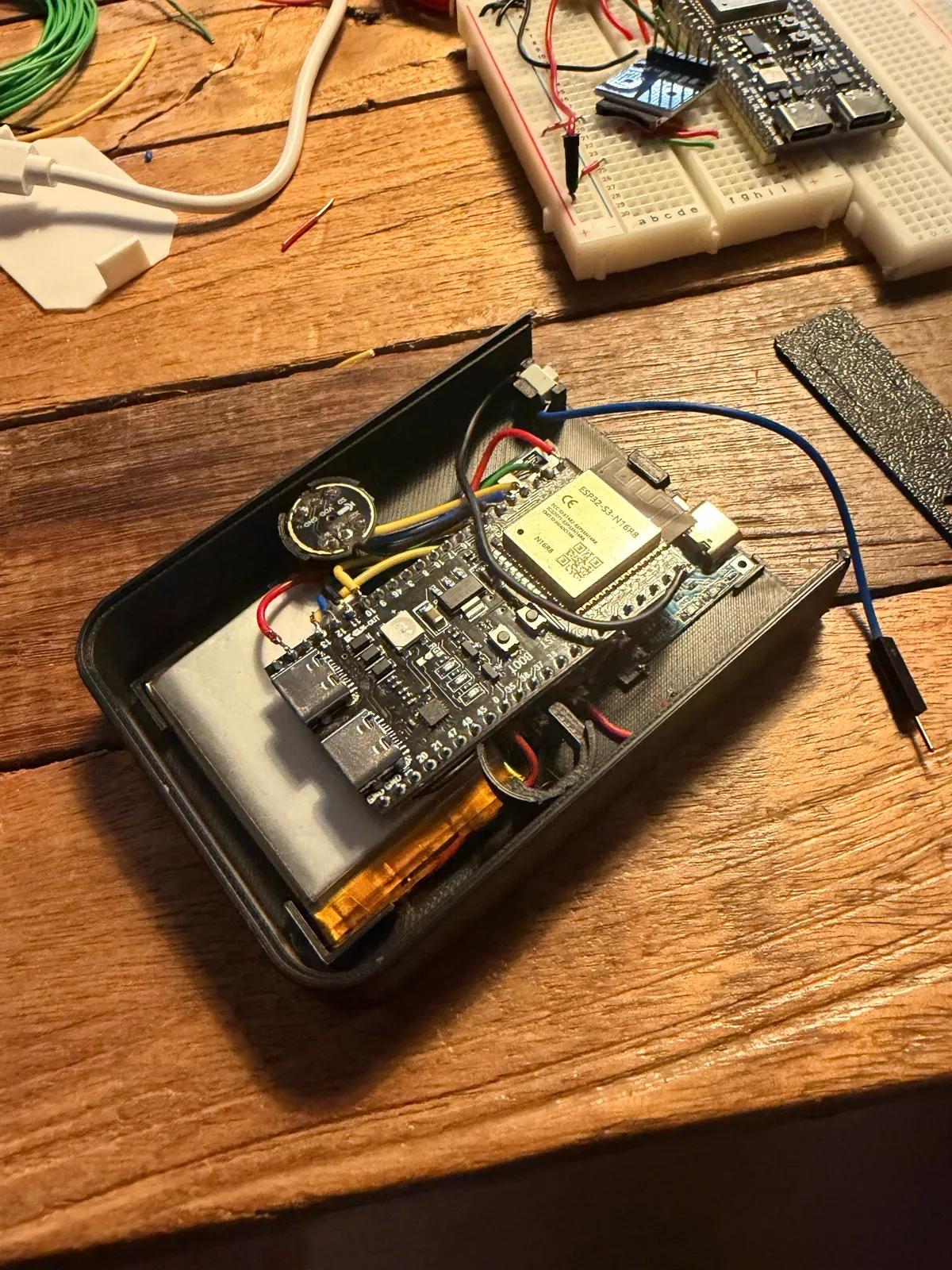
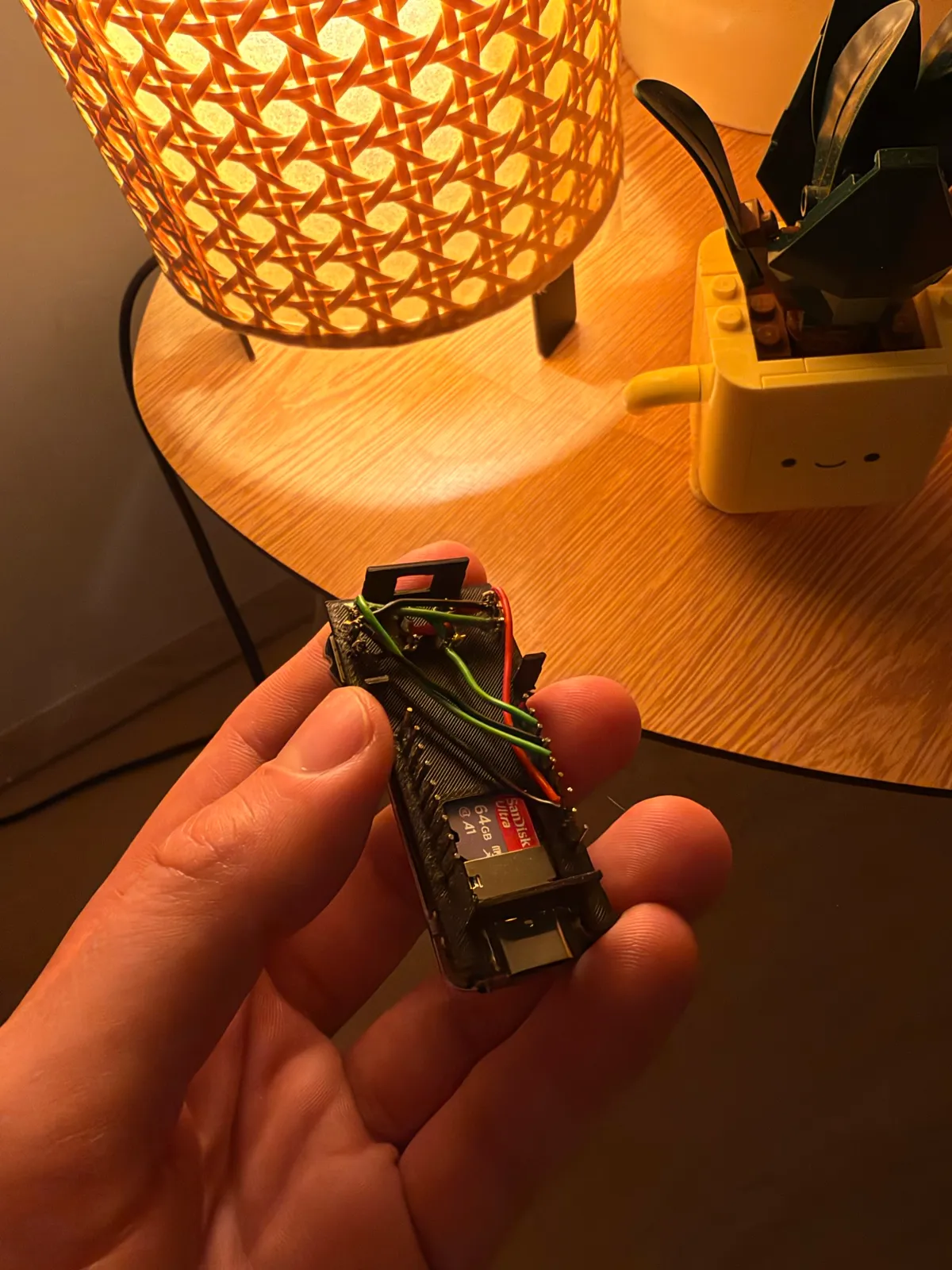
V1 ran on an ESP32-S3 and worked end to end, but it got crowded fast. A separate SD card module, a boost converter and a charger all had to be wired in, which kept the shell bigger than I wanted. For V2 I moved to an ESP32-C6 board with the card slot built in, two microphones and a small screen, so the device could finally shrink.
V1 had a button. V2 has a sliding cover, read by an infrared emitter and receiver that sit under the slider. One half of the slider is coated in reflective aluminium, so sliding that half over the sensor lifts the reading. The rule for when an open counts as an open was tuned from measurements in the finished housing, so one slide is one switch, opening in about a tenth of a second.
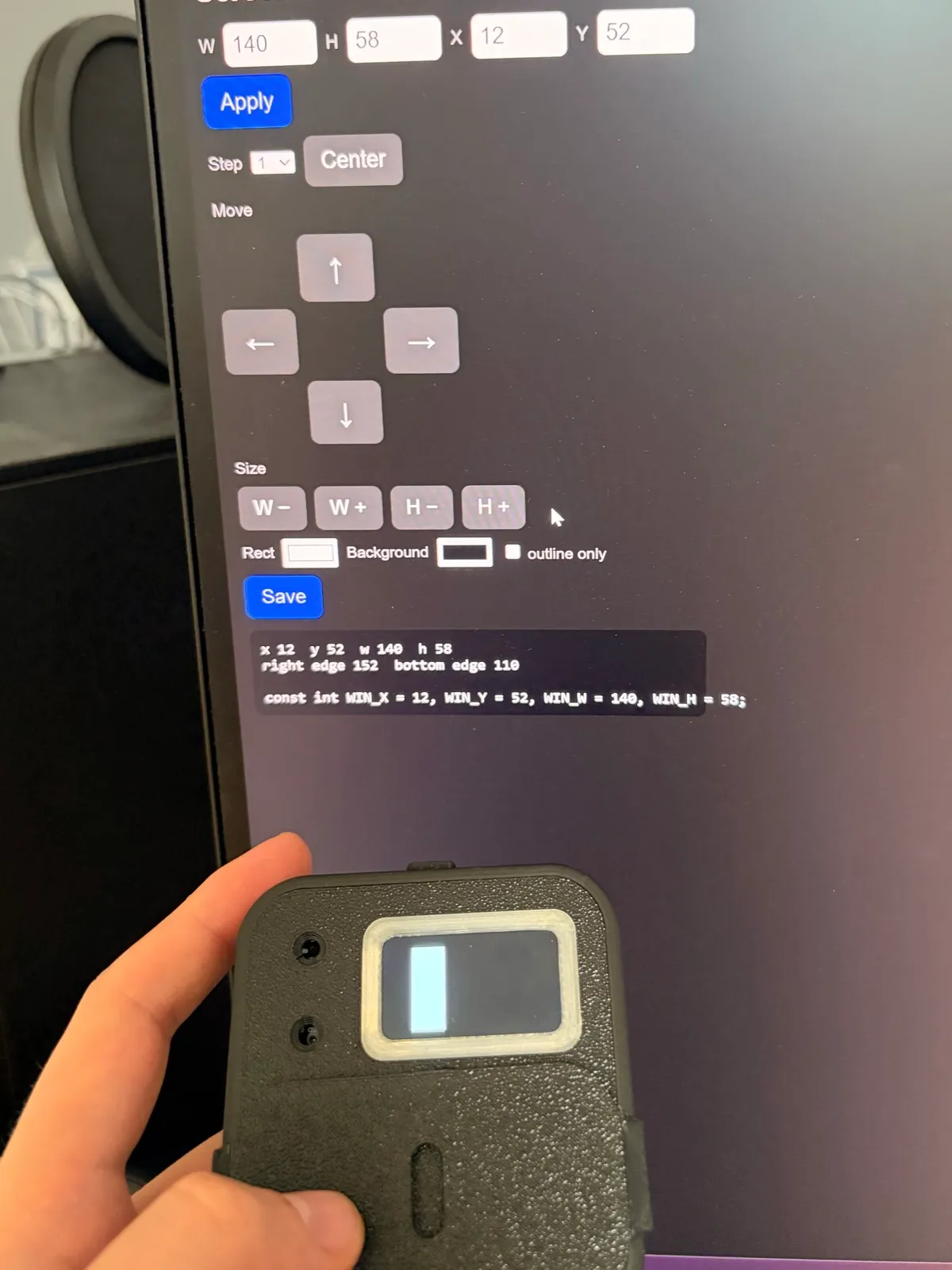
The window animations went through the most rounds. Soft gradients looked grey on this screen, so they became a dot grid. The microphone first crossfaded into the arrow, which looked like a fade and nothing more, so it became dots travelling between matched positions, and finally dots that merge only while they move. None of this reads right unless the window sits exactly in the cutout, so I tuned its placement with a small web app, so that I knew exactly which pixels to draw the animation on.
07App
The first app was a native Swift menu-bar app for the Mac. Its job was to prove the pipeline: on-device dictation with WhisperKit, cleanup with a local language model, word corrections, and the first meeting collection from the recorder. Going native kept it fast: the cleanup model ran on MLX, Apple’s framework for Apple Silicon, so it used the Mac’s own hardware directly.
The second app is a rebuild in Tauri, with a Rust core and a React interface, so the same app runs on Mac and Windows. It’s built on its own small design system, with tokens, controls and surfaces shared by every window, so the setup, the popup, the meetings window and the recorder settings all read as one product.
08Where it stands
Updated October 2026
Sivun works from end to end: set it up, pair the recorder, record a meeting, sync it, read the brief and transcript, work through its to-dos, ask it questions, and update the recorder’s firmware from the app.
Still open
- Battery level and charging: the V2 board can’t read its battery yet
- Faster transfers: about 13 seconds per recorded minute when last measured
- Encrypting stored network passwords
- A signed public beta of the app
