Case study | lp-design.eu
Layers
An iOS app that remembers what you wore and how it felt. You photograph the day's outfit, it freezes that day's weather onto the entry, and later it hands back the looks that actually worked in weather like today's. I designed the product and its whole visual language, then built it with an AI coding assistant and directed it, release after release, until it felt right. It’s in beta now.
- Role
- Concept, design language and product direction. Design and direction throughout
- Built with
- An AI coding assistant, to my direction. SwiftUI, iOS 17+
- Context
- Independent product. In beta on TestFlight
- Timeline
- 2026
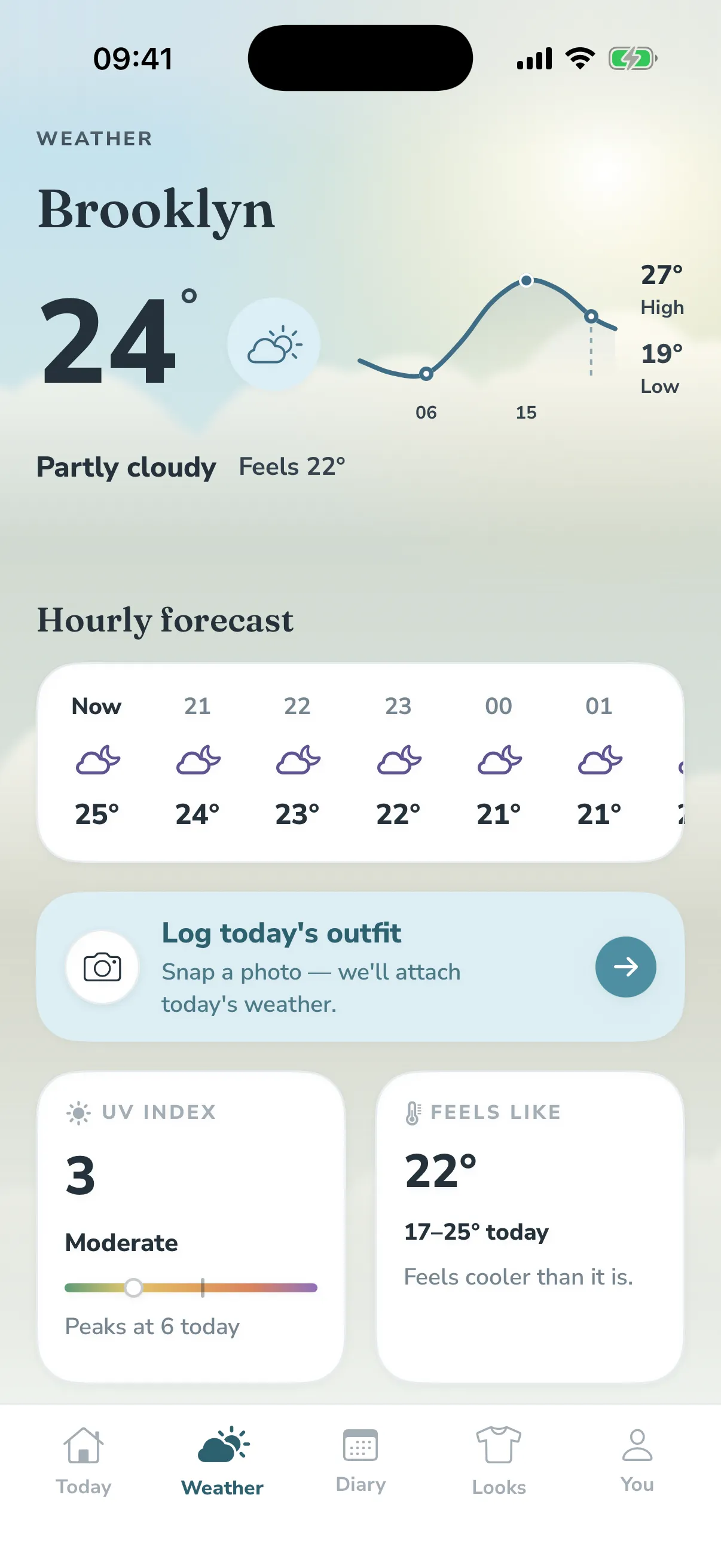
Partly cloudy
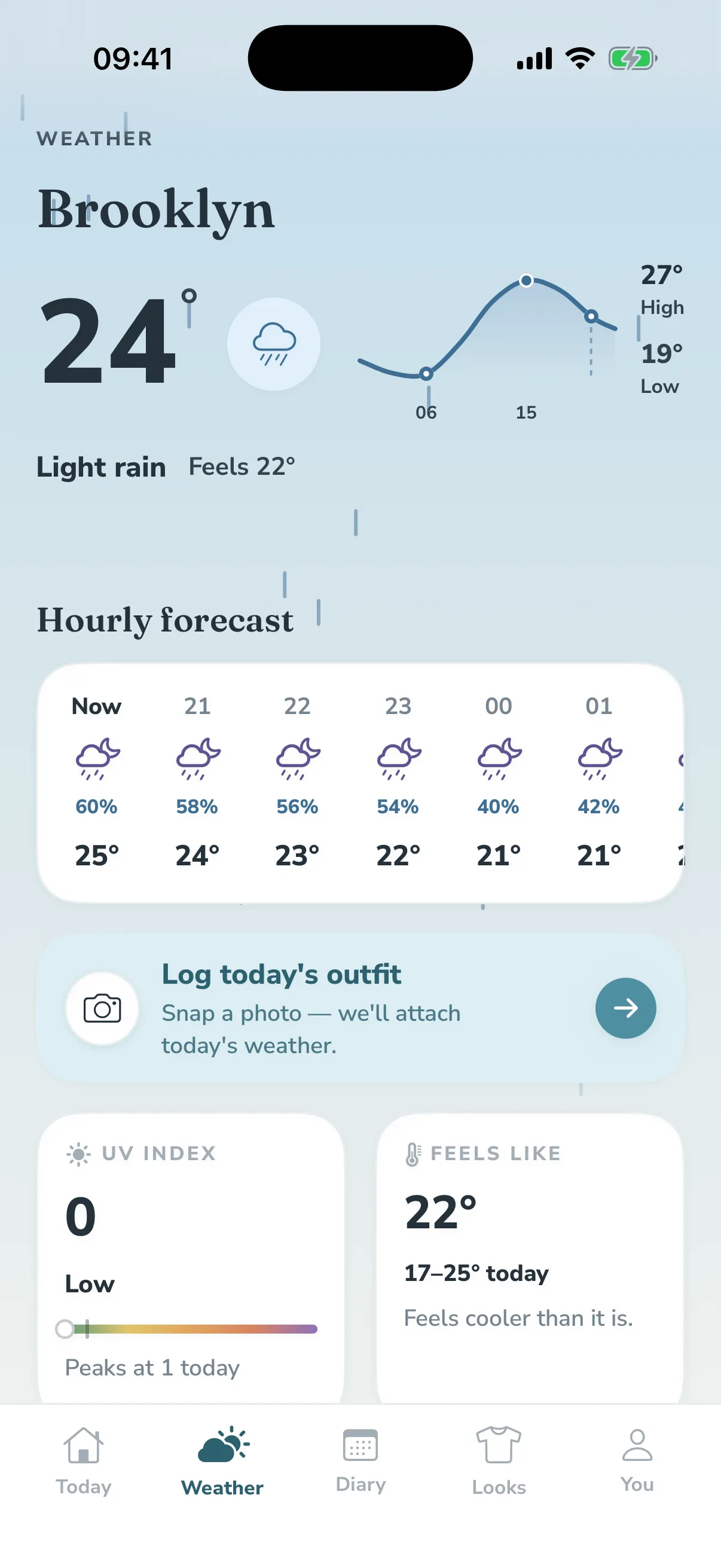
Rain
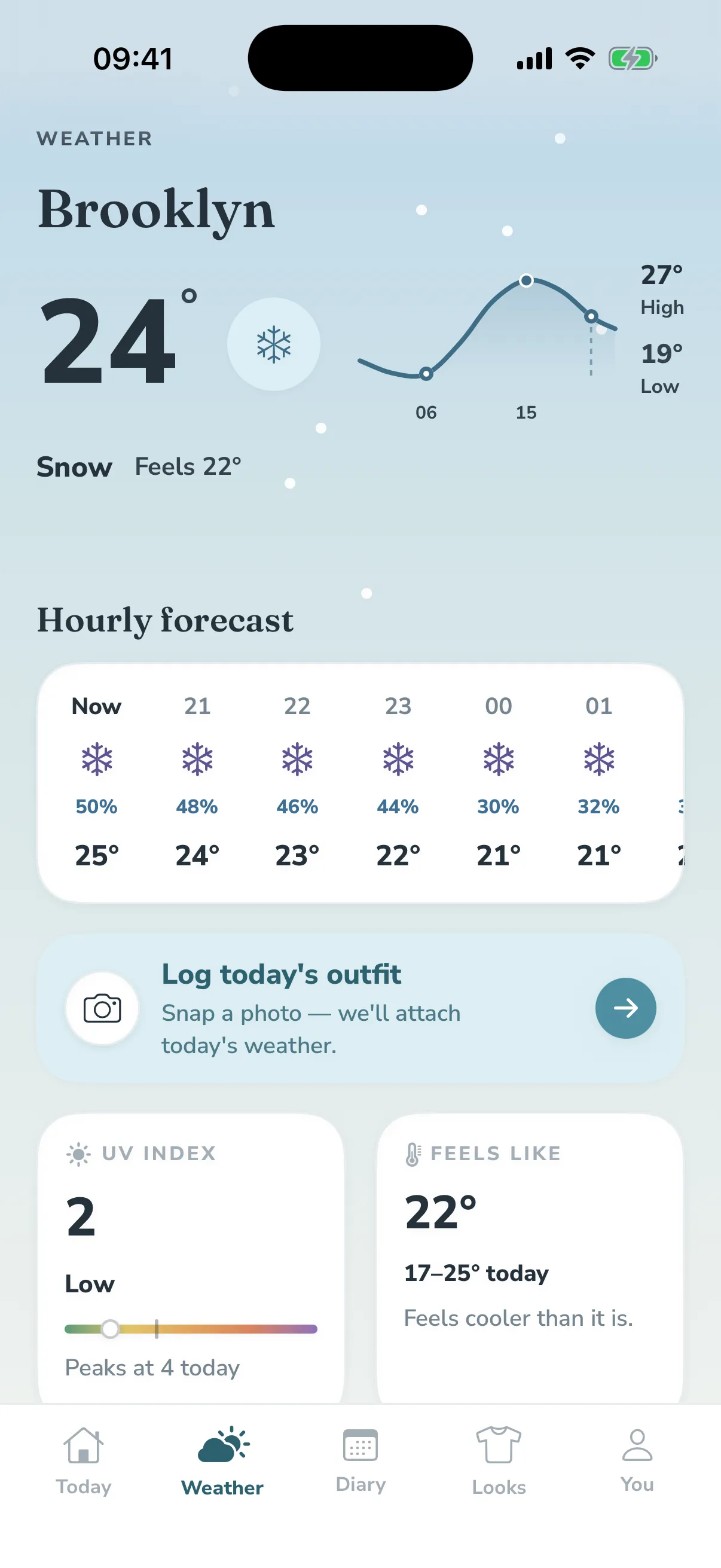
Snow
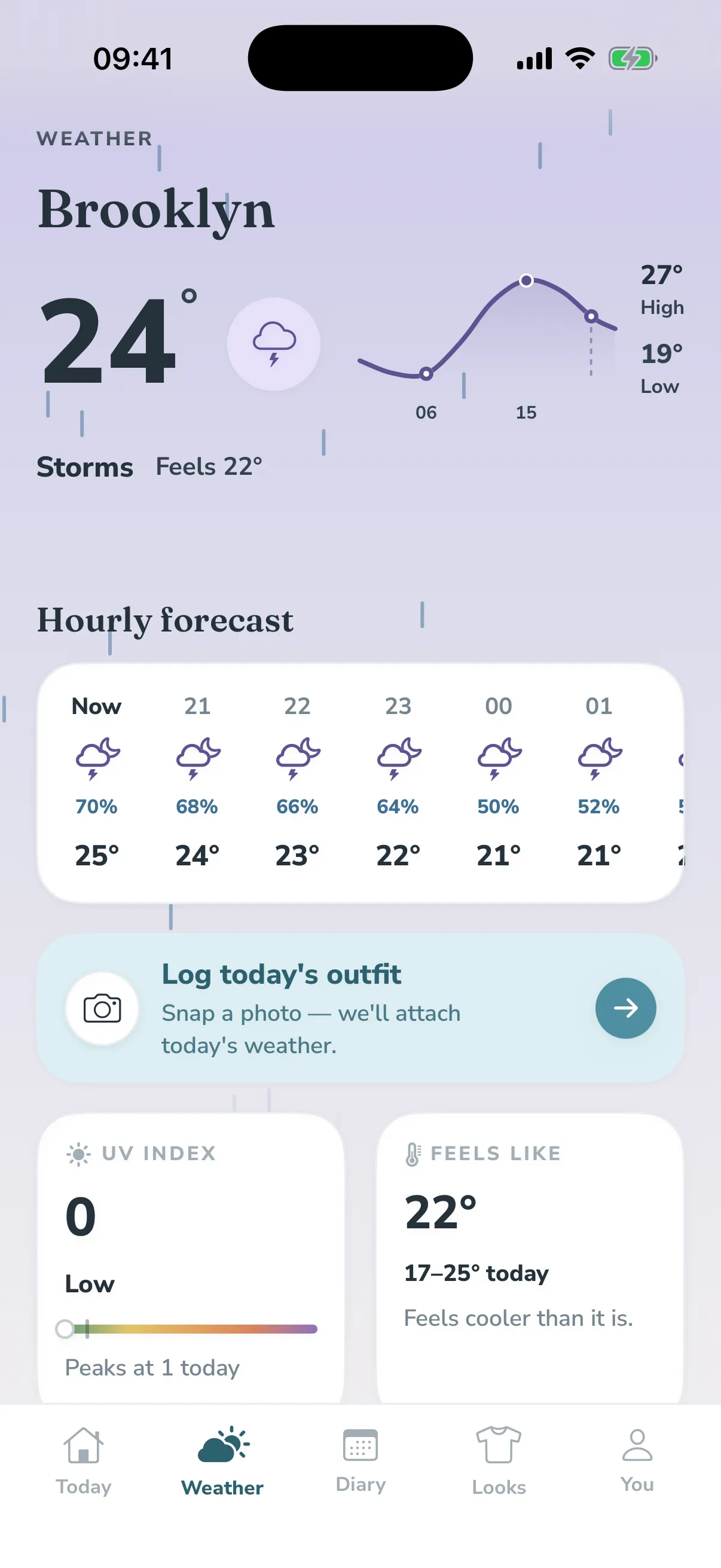
Storm
Clear night
01The guess
Dressing for the weather is a guess we make from a single number. The forecast says 12°, and 12° in still sunshine is a different day from 12° in a wet wind, but the number is the same, and so, usually, is the outfit. By the evening you know whether you got it right. By the next morning you’ve forgotten.
The frustrating part is that the answer already exists. You have worn the right thing for a day like today before; you just can’t remember which day, or what you had on, or how it turned out. An outfit is only useful information if it stays tied to the weather it met and to whether it actually worked, and nobody keeps that record by hand.
You’ve dressed for a day like today before. You just can’t remember what you wore.
02The log
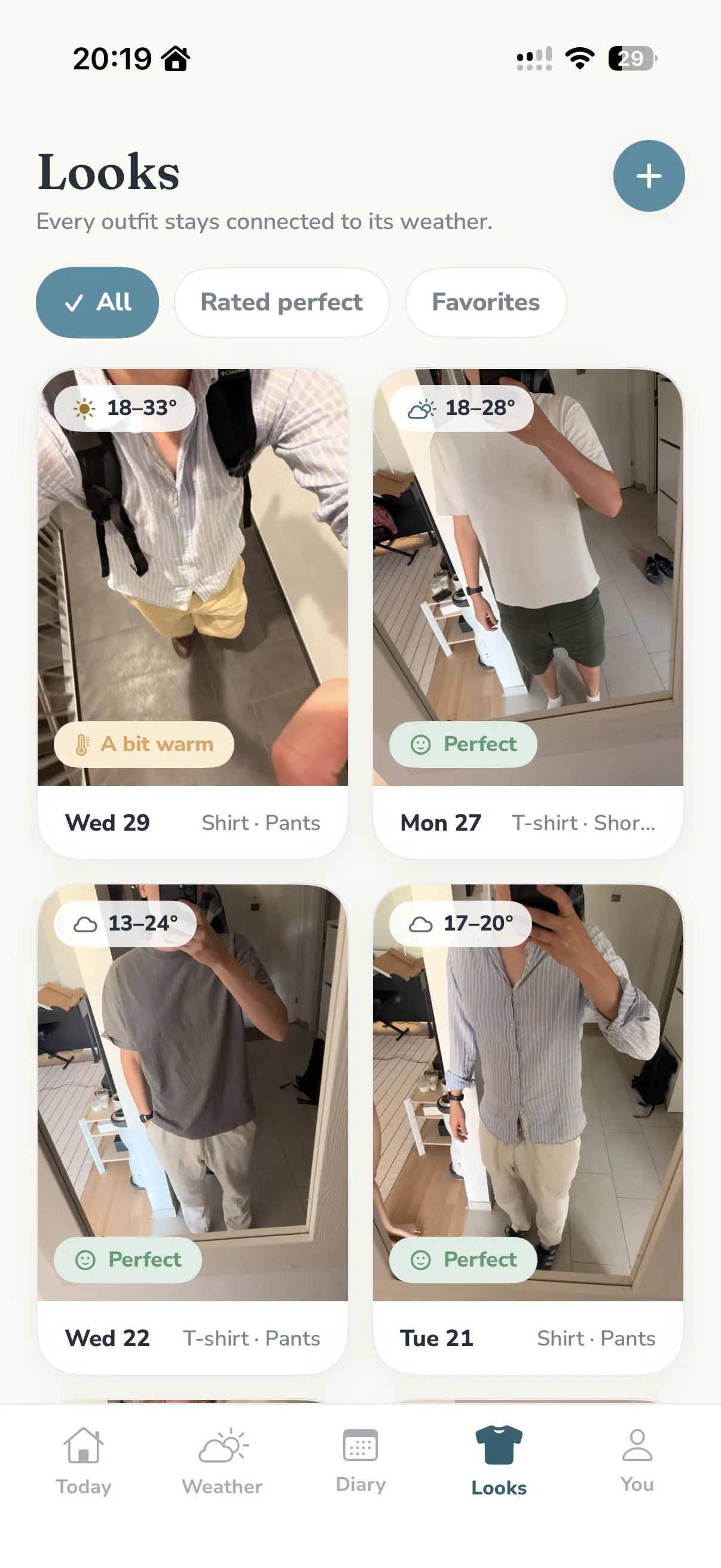
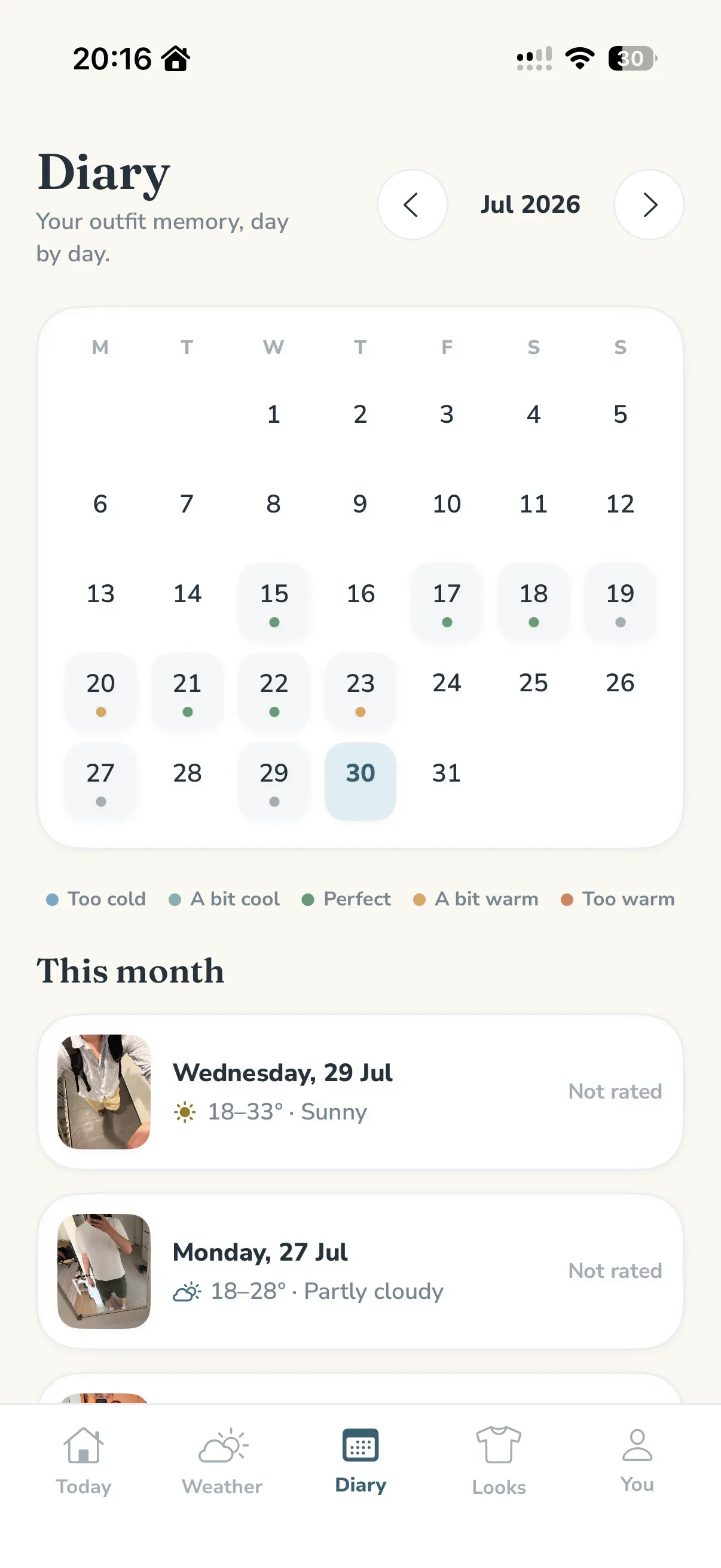
So the app keeps the record for you, and asks for almost nothing in return. You photograph the outfit (a mirror shot, two seconds) and Layers freezes the day’s weather onto it: the temperature, the high and low, the sky, the place. That reading never changes. Months later the entry still remembers the day it belonged to, not today’s.
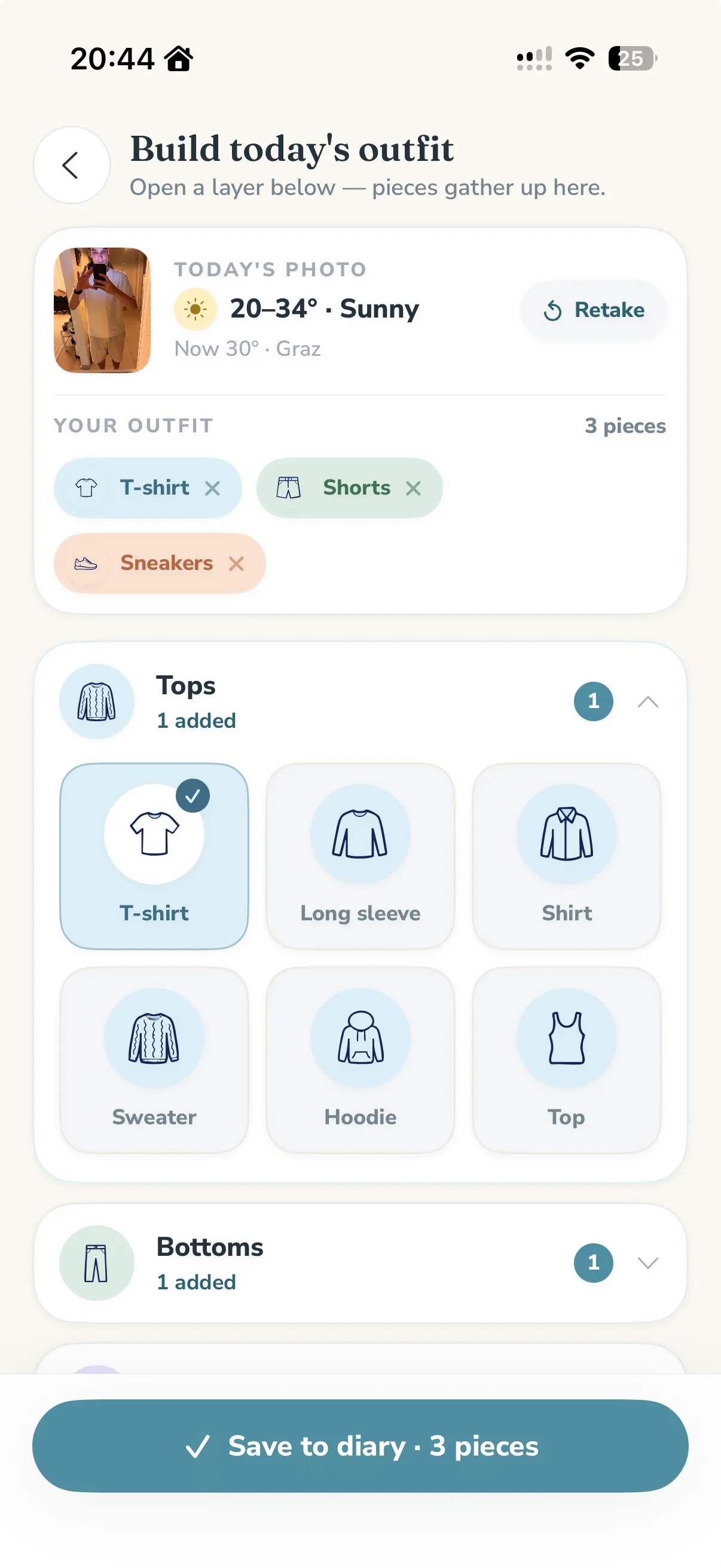
Some mornings there’s no photo, so there’s a second way in: a set of hand-drawn garment icons (t-shirt, long sleeve, shell, boots) that assemble an outfit as fast as you can tap. Either way the whole interaction weighs one photo or a few taps, because a diary you have to think about is a diary you stop keeping.
In the evening it asks a single question, on a scale from too cold to too warm: how did it feel? That one tap is the hinge of the entire product. It’s what turns a photograph into something the app can reason about later, and it’s the only real work the app ever asks of you.
03The feel
I wanted the opposite of a weather app. The category is loud: saturated gradients, urgent alerts, numbers stacked on numbers. None of it is calming, which is the one thing you want from the screen you check before you’ve had coffee. Layers is built on warm paper instead of black glass, sets its headings in a quiet serif against a plain humanist sans, and lets each screen hold a single idea.
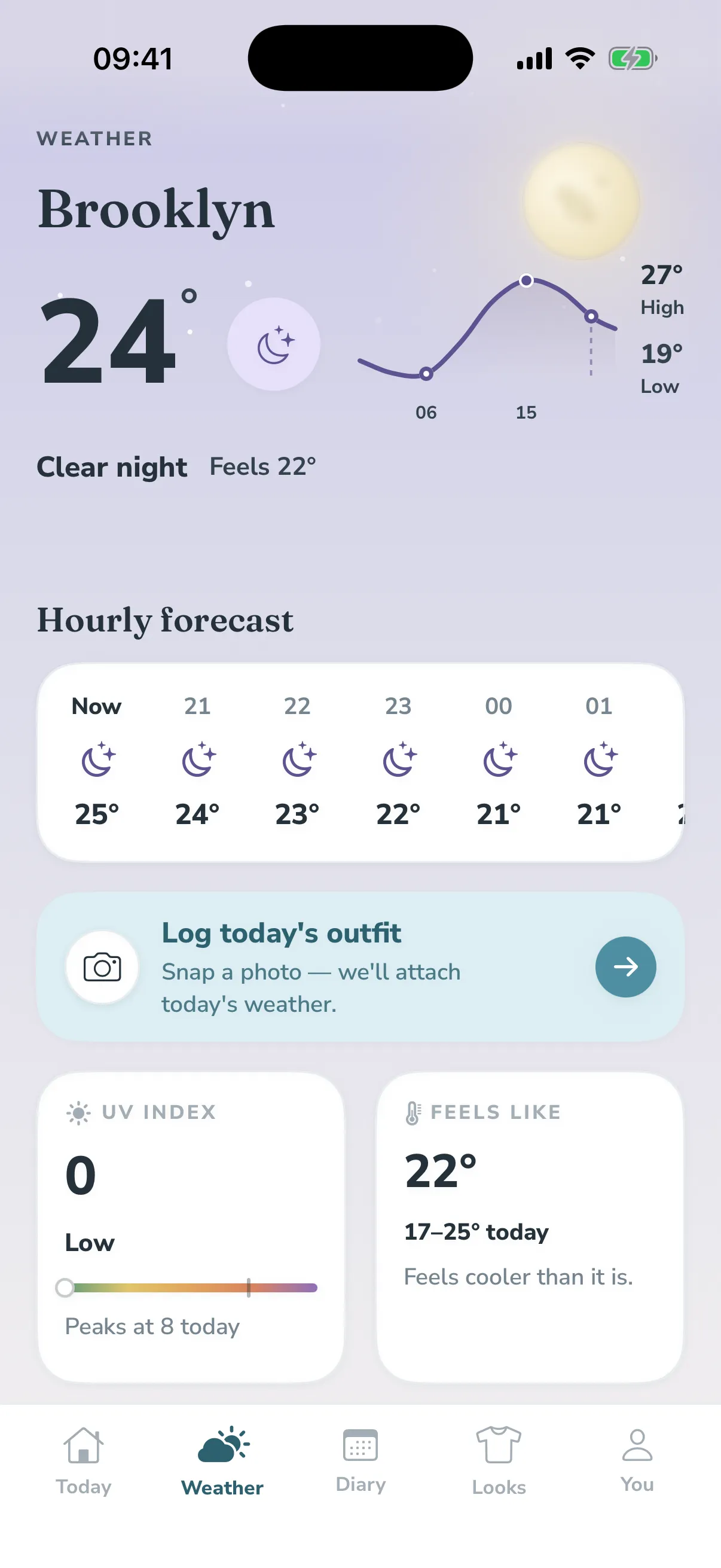
Weather still has to be felt, so it’s carried by colour rather than ornament. Every condition owns a soft wash (sun, sky, rain, sage, lavender), and those washes run through the whole app: behind the temperature, across each saved look, as the tint of a day in the calendar. The sky itself is drawn, not stock: a canvas that blooms, clouds over, rains and turns to a moon-and-stars night, tuned to read as atmosphere and never as a screensaver.
The rest is the small, tactile work that decides whether a thing feels made. An icon-in-a-circle motif repeats everywhere. Controls give a little under the thumb, and the day’s temperature is one calm spline instead of a jagged chart. It’s the same instinct as my hardware work, that an interface should feel like an object with a right way to be held, pointed at a screen instead.
04Recall
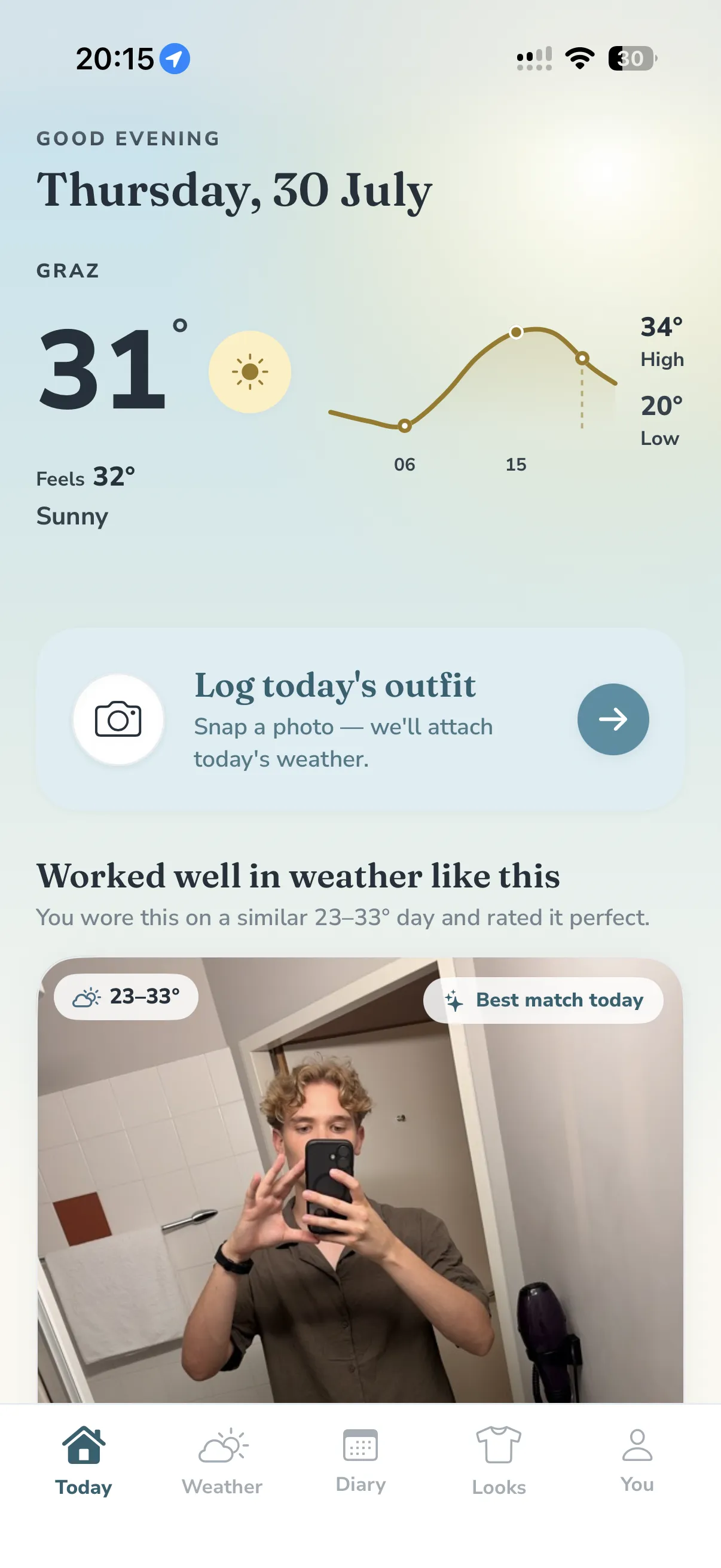
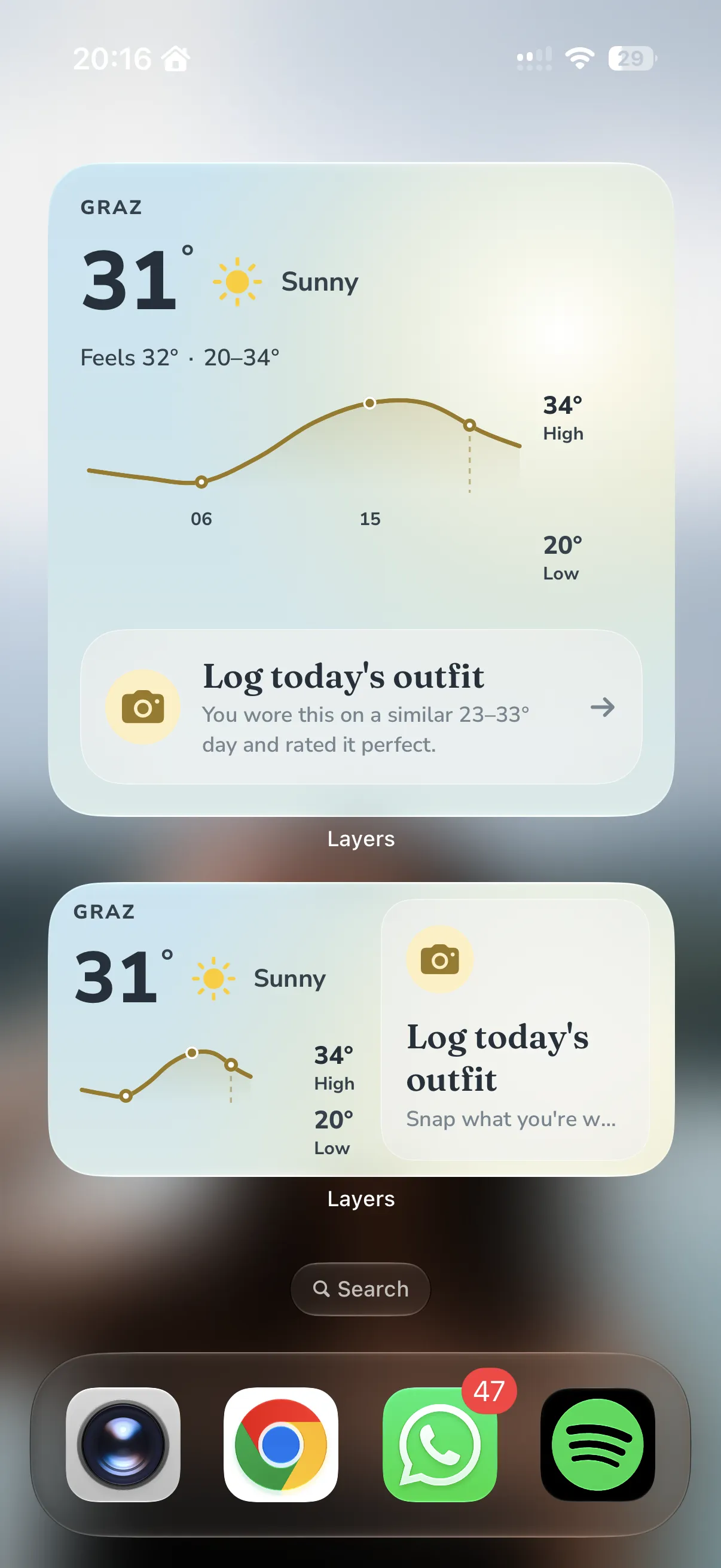
The point of all that logging is one moment: you open the app and it shows you what worked. Layers looks back through your rated outfits, finds the past day whose weather most resembles today’s (temperature counts for the most, then the sky, then the day’s spread) and returns the one you rated best, but only if it’s genuinely close. The reason is always in plain words: you wore this on a similar 18–26° day and rated it perfect.
What I care about most is what it does before it can do that. A recommendation with three data points behind it is a liar, so under its threshold Layers doesn’t pretend to personalise. It says what it can honestly draw from the forecast alone (cool morning, warmer afternoon, layers may help) and tells you it’s still learning your style rather than dressing a guess up as a result. The logic stays deliberately simple and always explainable; I’d sooner it be right and modest than clever and wrong.
That honesty carries a cost, and it’s the hardest design problem in the app: the payoff only arrives once you’ve logged enough, so the first week is the week Layers is least useful and most easily abandoned. Most of the recent work has gone into that gap: a visible “calibrating” goal that gives the first days an end, and a way to seed history from photos you’ve already taken, so the app earns its keep sooner without ever faking the part that has to be earned.
And it doesn’t wait for you to open the app. The same recall rides the Home and Lock Screen as a widget, a morning glance that says you wore this on a similar day and it worked, so the one useful moment lands where you already are at eight in the morning.
05Push to start
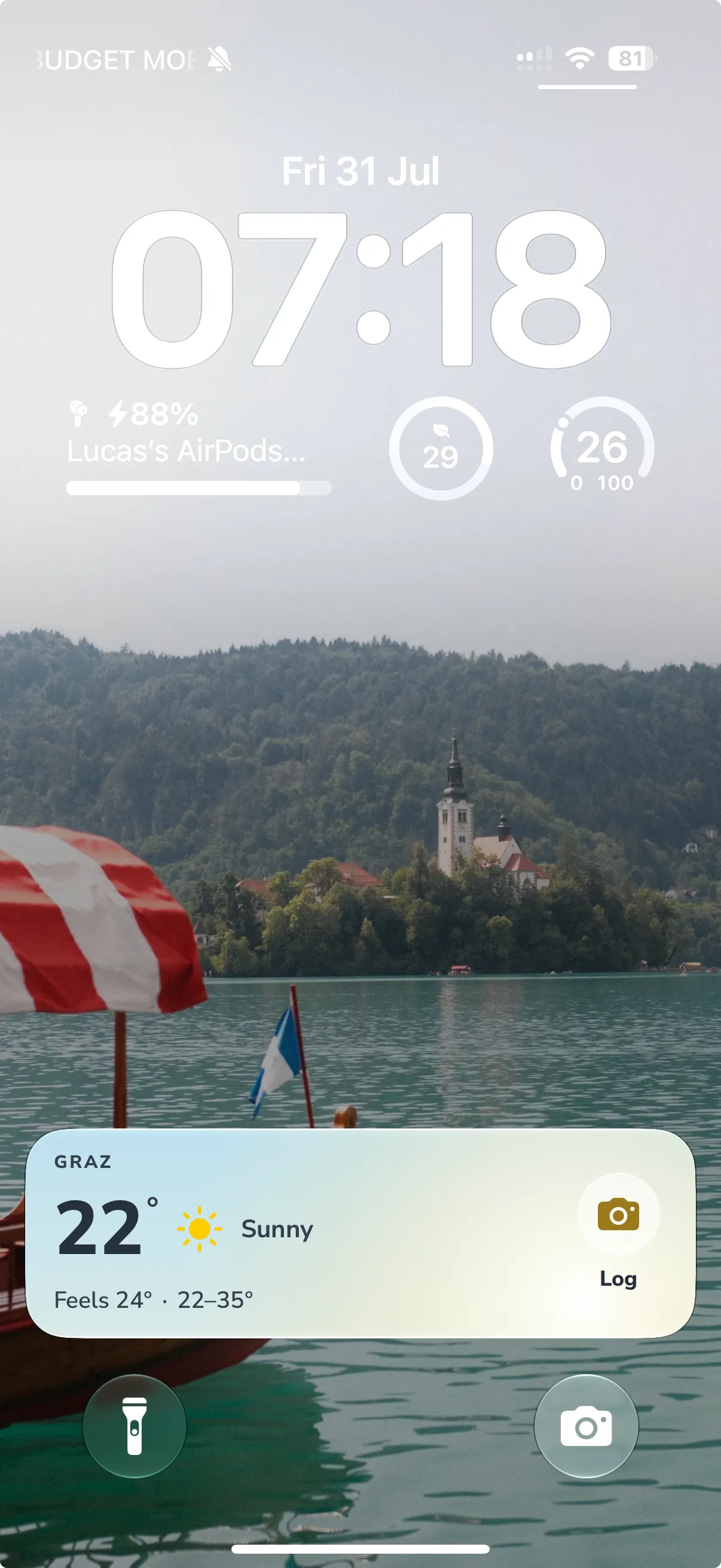
There’s one more surface, and it’s the one I’m most attached to. Each morning a Live Activity puts today’s weather on the Lock Screen and in the Dynamic Island, with logging a single tap away. It appears on its own, before you’ve touched the phone, which is exactly the part iOS makes hard.
An app can’t start a Live Activity from the background; the only sanctioned way in is a push. So Layers has a small backend for precisely this: a Cloudflare Worker that holds each device’s morning reminder time and wakes on a five-minute cron. When your morning arrives it pulls the day’s forecast, packs it into the notification, and sends the start push, so the activity turns up a second or two later already showing the right weather, without the app ever having run.
It’s a small feature that took the widest range to build: an iOS widget extension, an Apple push key, a scheduled worker and its little database, all talking to each other. That’s the part I like most. The same restraint, pushed all the way out to the Lock Screen, so the product meets you at the right moment and asks for one tap. Like the rest of it, the worker was written with the coding assistant, to my spec.
06Method
I should be plain about how this is built, because the method is the interesting part. Layers is a native iOS app (SwiftUI, a real data layer, a live weather service, a camera pipeline, a Home Screen widget, and a Live Activity with a small cloud backend behind it), and I am not an iOS engineer. The code I write by hand is the embedded kind: Arduino, Python, an ESP32 with sensors wired to it. Every line of Swift here, and the TypeScript worker behind that Live Activity, was written by an AI coding assistant working to my direction.
What’s mine is everything the code is in service of. I designed the product and the whole visual language: the tokens, the type, the weather washes, the drawn skies, the rule that a screen may hold only one thing. I decided what it should do, what it should refuse to do, and how each interaction should feel. Then I directed and reviewed, build after build, sending it back until the motion, the spacing and the words were right. That loop is the work, and it’s the part I would have done anyway.
The judgement to run that loop comes from the hardware side. Once you’ve debugged a sensor that lies to you, you know the feeling of a system that looks correct and isn’t, and you stop taking a confident-looking screen at face value. I can’t claim the engineering. I can claim the design, the direction, and the standard the thing was held to until it shipped.
Now
Layers is in beta on TestFlight, in real hands: the stage that concepts and prototypes never reach, where an idea meets a real forecast and someone’s actual morning. It’s teaching me the things you only learn after shipping: where the interface still asks too much, which careful detail nobody notices, and how a design holds up against weeks of real weather.
It’s also the clearest example of how I work now. The design thinking is unchanged from the hardware: restraint, feedback you can feel, an interface that behaves like an object. What’s changed is reach: I can take that thinking all the way to a working product, on my own, and keep refining it in public.
Next
Heat Aura